# Best Practices (/wallets/ios/best-practices)
The purpose of this guide is to show the best practices in regards of the WalletKit client usage. The goal is to provide the best user experience that just works in every circumstances.
In order to ensure the best user experience and flawless connection flow, please make sure that WalletKit is initialized immediately after your app launch, especially if launched via a WalletConnect Deep Link. It guarantees that websocket connection is opened immediately and all requests are received by your wallet
## Pairing [#pairing]
A pairing is a connection between a wallet and a dapp that has fixed permissions to only allow a dapp to propose a session through it. Dapp can propose infinite number of sessions on one pairing. Wallet must use a pair method from the WalletKit client to pair with dapp.
```swift
let uri = WalletConnectURI(string: urlString)
if let uri {
Task {
try await WalletKit.instance.pair(uri: uri)
}
}
```
### Pairing State [#pairing-state]
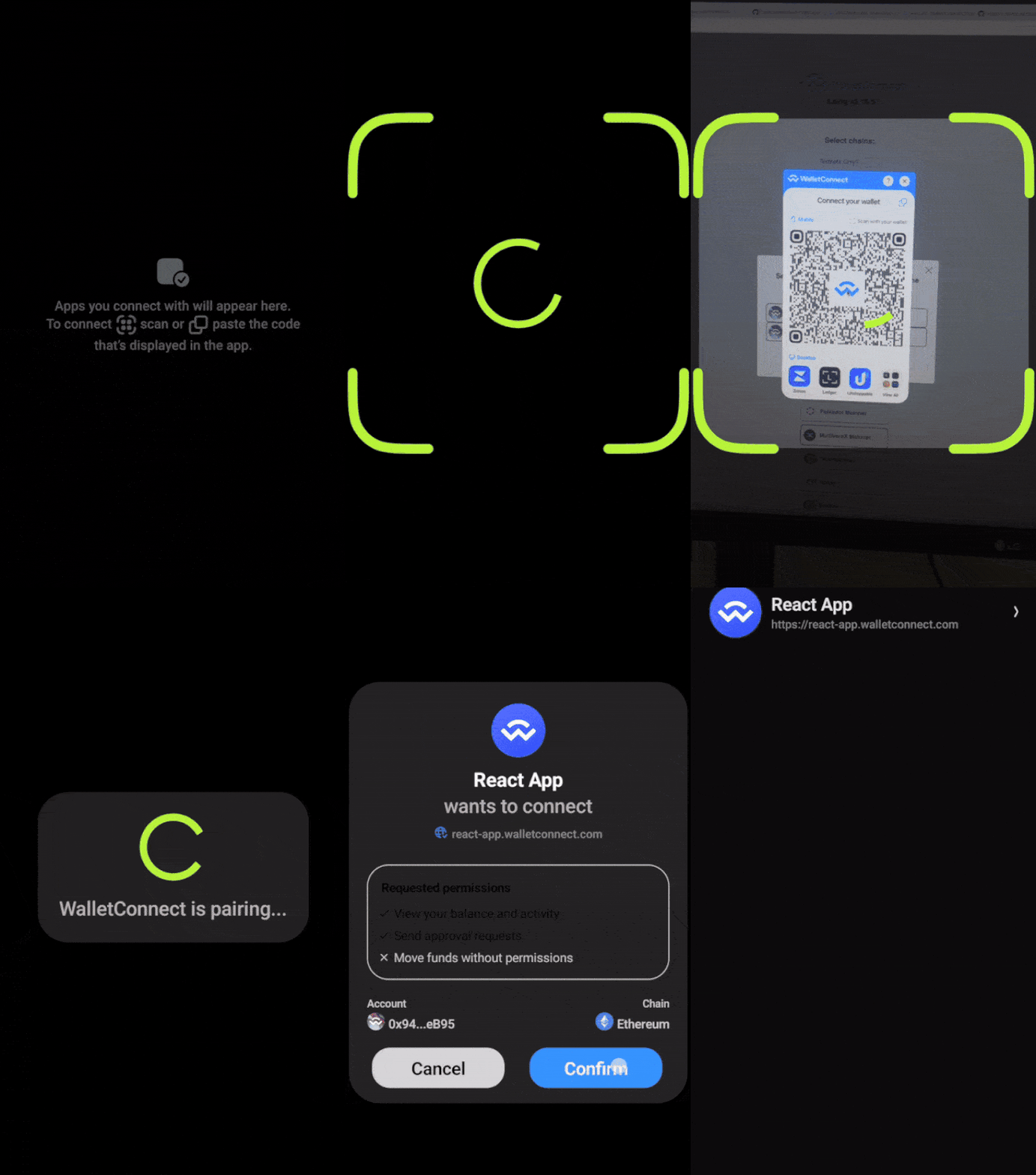
A pairing state is a primitive exposed by the WalletKit client for a wallet to indicate whether it should await a session proposal. The pairing state is `true` when a wallet scans a QR and awaits a session proposal. Once the session proposal is received by the wallet, the pairing state is changed to `false`.
When `true` wallet should show a loading indicator awaiting a session proposal, when changed to `false` a proposal dialog should be displayed.
```swift
WalletKit.instance.pairingStatePublisher
.receive(on: DispatchQueue.main)
.sink { [weak self] isPairing in
self?.showPairingLoading = isPairing
}.store(in: &disposeBag)
```
### Pairing Expiry [#pairing-expiry]
A pairing expiry event is triggered whenever a pairing is expired. The expiry for inactive pairing is 5 mins, whereas for active pairing is 30 days. A pairing becomes active when a session proposal is received and user successfully approves it. This event helps to know when given pairing expires and update UI accordingly.
```swift
WalletKit.instance.pairingExpirationPublisher
.receive(on: DispatchQueue.main)
.sink { pairing in
guard !pairing.active else { return }
// let user know that pairing has expired
}.store(in: &publishers)
```
### Expected User flow [#expected-user-flow]
### Pairing Flow [#pairing-flow]
 ### Pairing Error [#pairing-error]
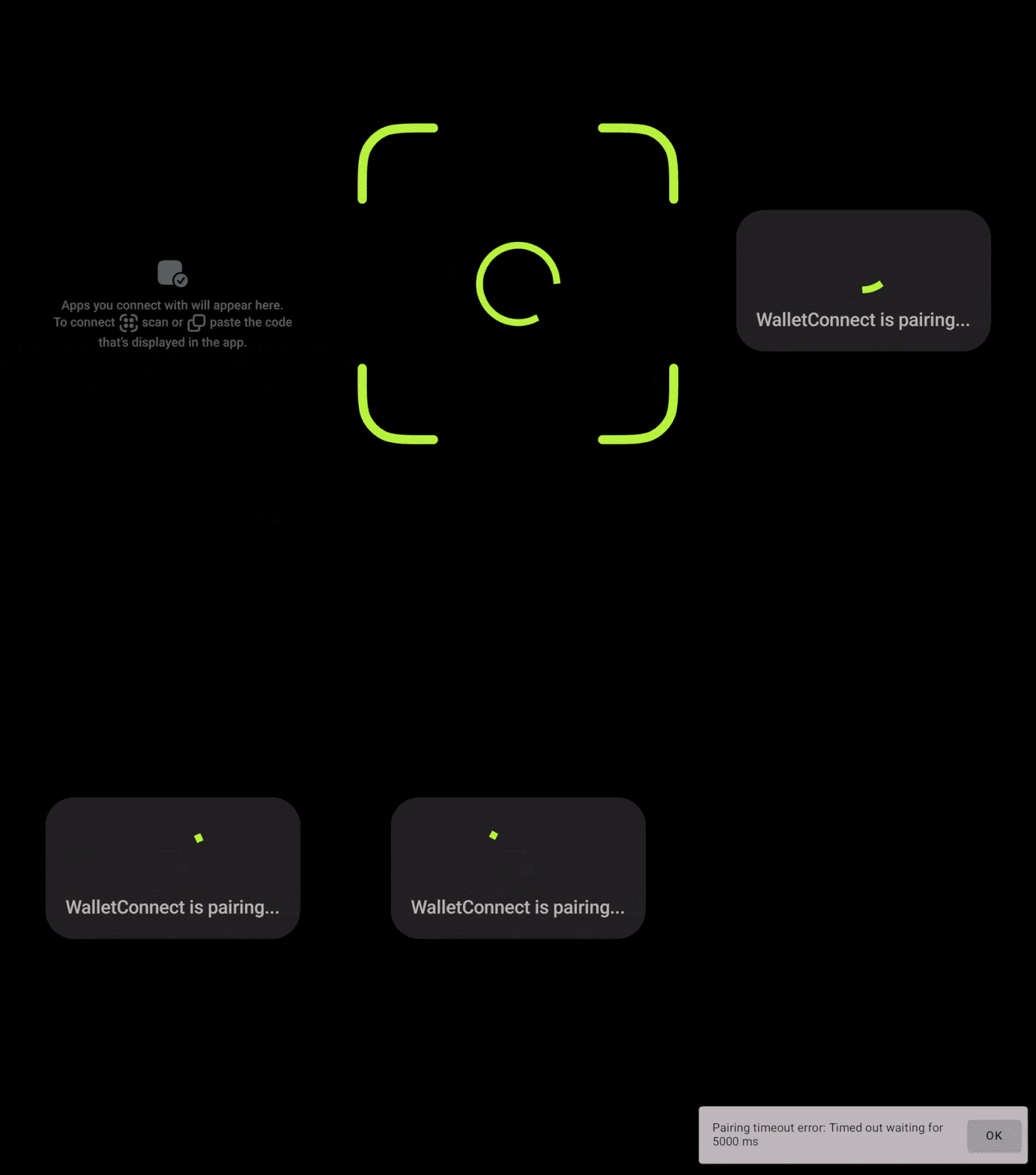 ### Expected Errors [#expected-errors]
While pairing the following errors might occur:
- No Internet connection error or pairing timeout when scanning QR with no Internet connection
- User should pair again with Internet connection
- Pairing expired error when scanning a QR code with expired pairing
- User should refresh a QR code and scan again
- Pairing with existing pairing is not allowed
- User should refresh a QR code and scan again. I usually happens when user scans an already paired QR code.
## Session Proposal [#session-proposal]
A session proposal is a handshake sent by a dapp and it's purpose is to define a session rules. Whenever a user wants to establish a connection between a wallet and a dapp, one should approve a session proposal.
### User Action Feedback [#user-action-feedback]
Whenever user approves or rejects a session proposal, wallet should show loading indicators in a moment of the button press until Relay acknowledgement is received for any of this actions.
Session Approve
```swift
do {
try await WalletKit.instance.approve(proposalId: proposal.id, namespaces: sessionNamespaces, sessionProperties: proposal.sessionProperties)
// Update UI, remove loader
} catch {
// present error
}
```
Session Reject
```swift
do {
try await WalletKit.instance.reject(proposalId: proposal.id, reason: .userRejected)
// Update UI, remove loader
} catch {
// present error
}
```
### Session Proposal Expiry [#session-proposal-expiry]
A session proposal expiry is 5 mins. It means a given proposal is stored for 5 mins in the SDK storage and user has 5 mins for approval or rejection decision. After that time the below event is emitted and proposal modal should be removed from the app's UI.
```swift
WalletKit.instance.sessionProposalExpirationPublisher.sink { _ in
// let user know that session proposal has expired, update UI
}.store(in: &publishers)
```
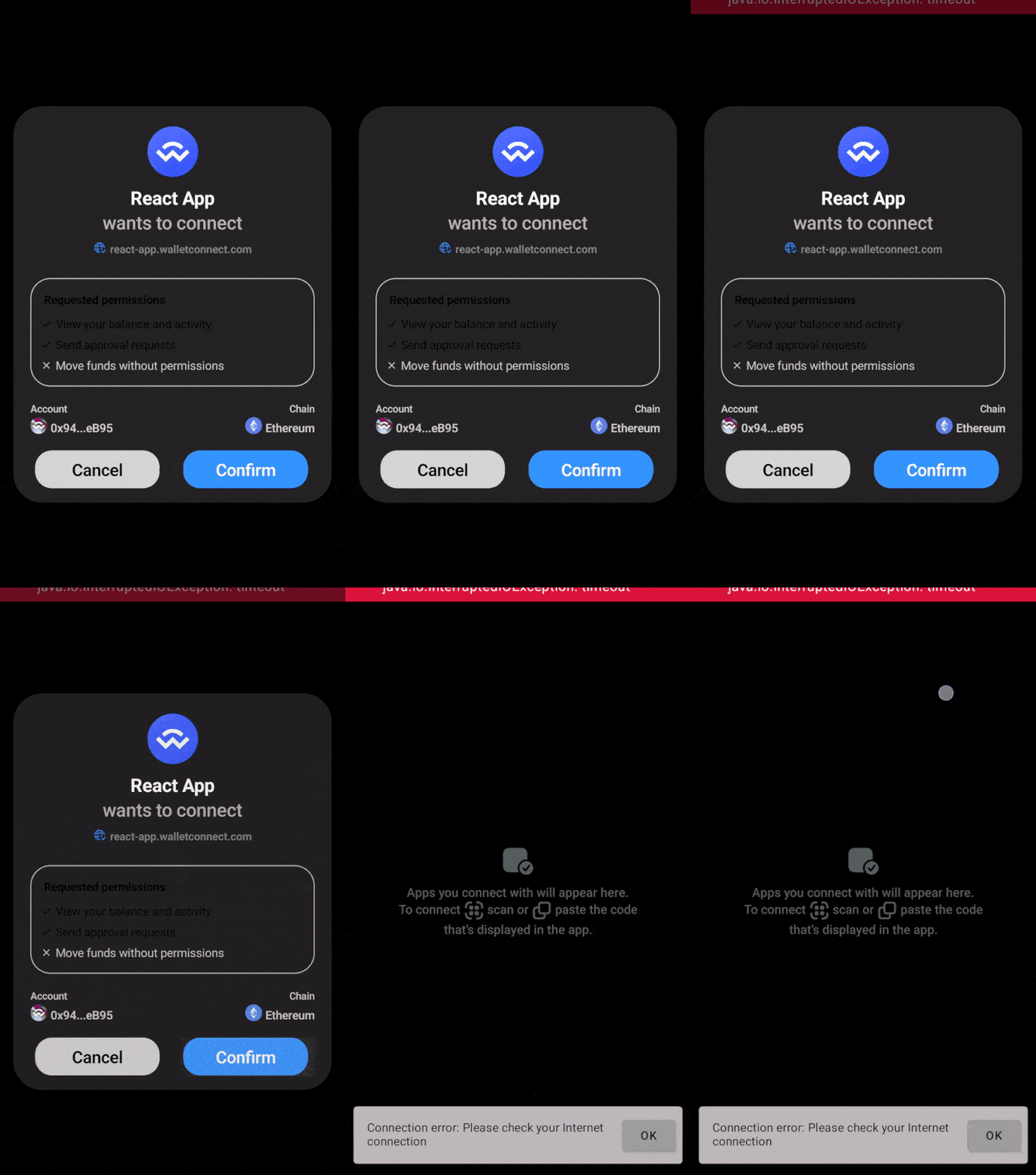
### Expected User flow [#expected-user-flow-1]
### Approve or Reject Session Proposal [#approve-or-reject-session-proposal]
### Error Handling [#error-handling]
 ### Expected Errors [#expected-errors-1]
While approving or rejecting a session proposal the following errors might occurs:
- No Internet connection
- It happens when a user tries to approve or reject session proposal with no Internet connection
- Session proposal expired
- It happens when users tries to approve or reject expired session proposal
- Invalid namespaces
- It happens when a validation of session namespaces fails
- Timeout
- It happens when Relay doesn't acknowledge session settle publish within 10s
## Session Request [#session-request]
A session request represents the request sent by a dapp to a wallet.
### User Action Feedback [#user-action-feedback-1]
Whenever user approves or rejects a session request, wallet should show loading indicators in a moment of the button press until Relay acknowledgement is received for any of this actions.
```swift
do {
try await WalletKit.instance.respond(requestId: request.id, signature: signature, from: account)
// update UI -> remove the loader
} catch {
// present error to the user
}
```
### Session Request Expiry [#session-request-expiry]
A session request expiry is defined by a dapp. It's value must be between now() + 5mins and now() + 7 days. After the session request expires the below event is emitted and session request modal should be removed from the app's UI.
```swift
WalletKit.instance.requestExpirationPublisher.sink { _ in
// let user know that request has expired
}.store(in: &publishers)
```
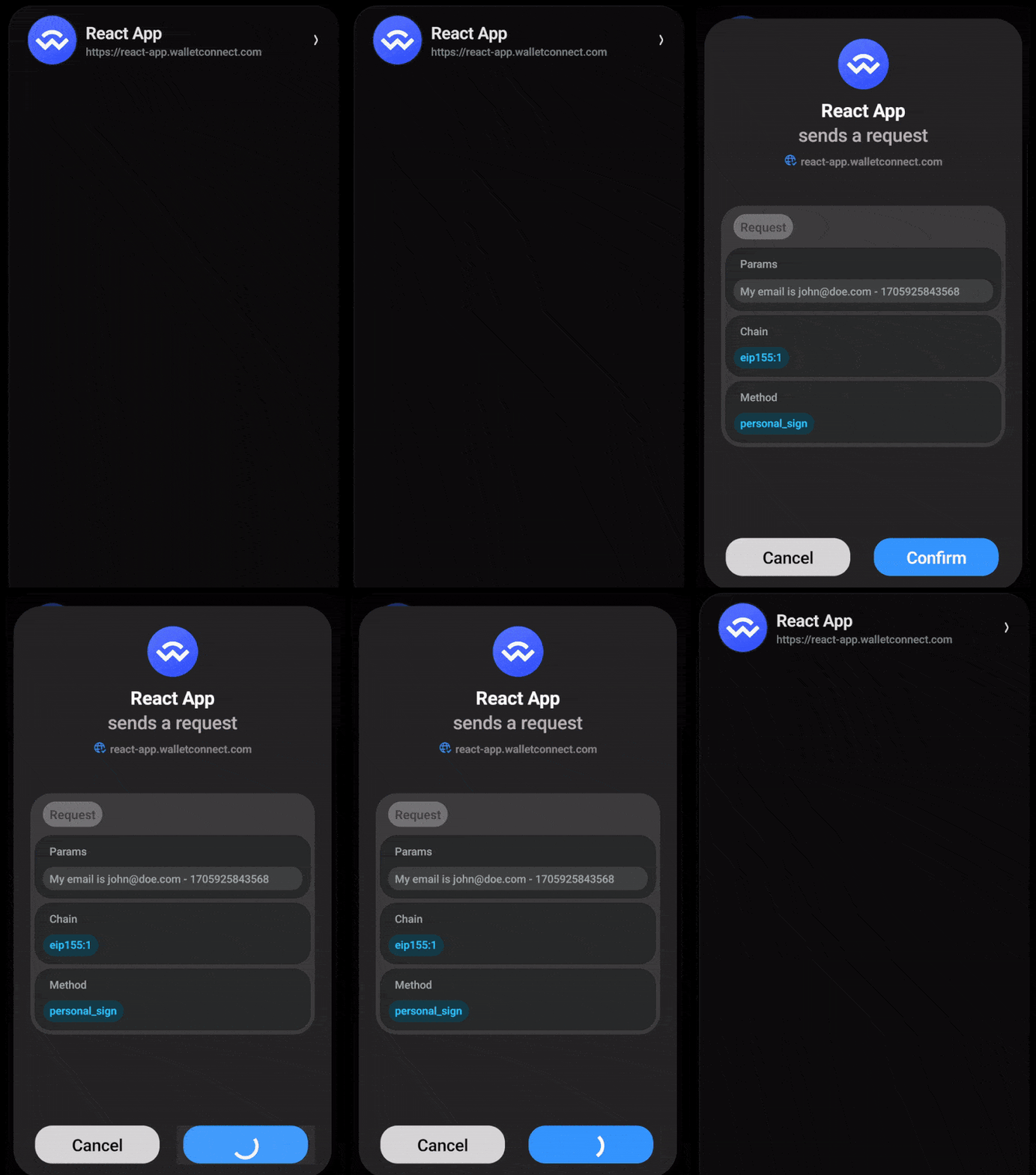
### Expected User flow [#expected-user-flow-2]
### Approve or Reject Session Proposal [#approve-or-reject-session-proposal-1]
 ### Error Handling [#error-handling-1]
 ### Expected Errors [#expected-errors-2]
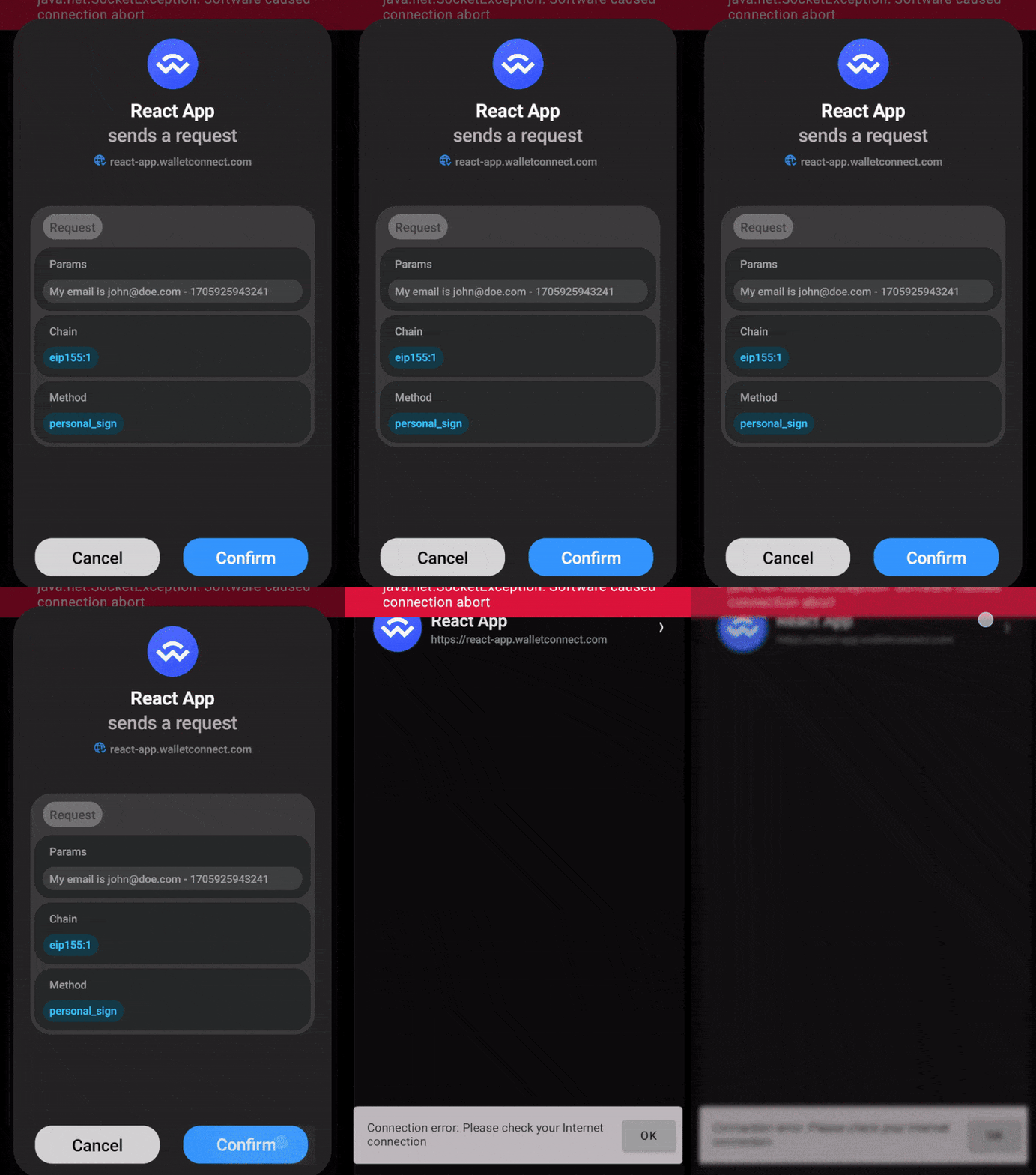
While approving or rejecting a session request the following error might occur:
- Invalid session
- This error might happen when user approves or rejects a session request on expired session
- Session request expired
- This error might happen when user approves or rejects a session request that already expires
- Timeout
- It happens when Relay doesn't acknowledge session settle publish within 10s
## Web Socket Connection State [#web-socket-connection-state]
The Web Socket connection state tracks the connection with the relay server, event is emitted whenever a connection state changes.
```swift
WalletKit.instance.socketConnectionStatusPublisher
.receive(on: DispatchQueue.main)
.sink { status in
switch status {
case .connected:
// ...
case .disconnected:
// ...
}
}.store(in: &publishers)
```
### Expected User flow [#expected-user-flow-3]
### Connection State [#connection-state]
