

url when you create a verification.
What your user sees
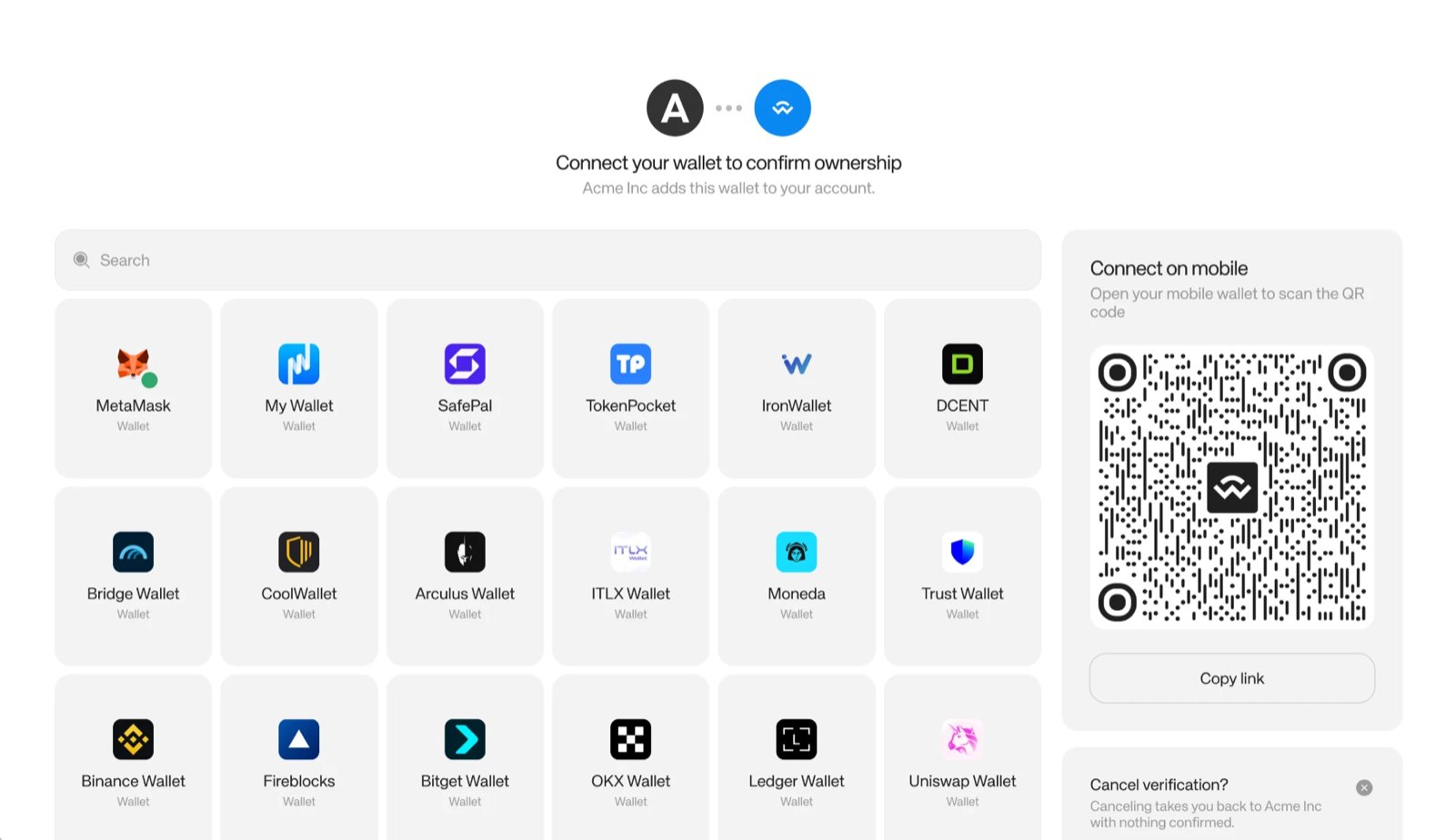
The first screen: your business name at the top, the wallet list, and a QR code for mobile wallets.
1
Open the link
The page shows your business name, page title, and logo from Customization.
2
Connect a wallet
The user picks a wallet from the list, or on desktop scans the QR code with a mobile wallet. More than 700 wallets connect through WalletConnect.
3
Review
The user reviews the address and taps Verify address. The page names the wallet that will ask for approval and states that no funds move.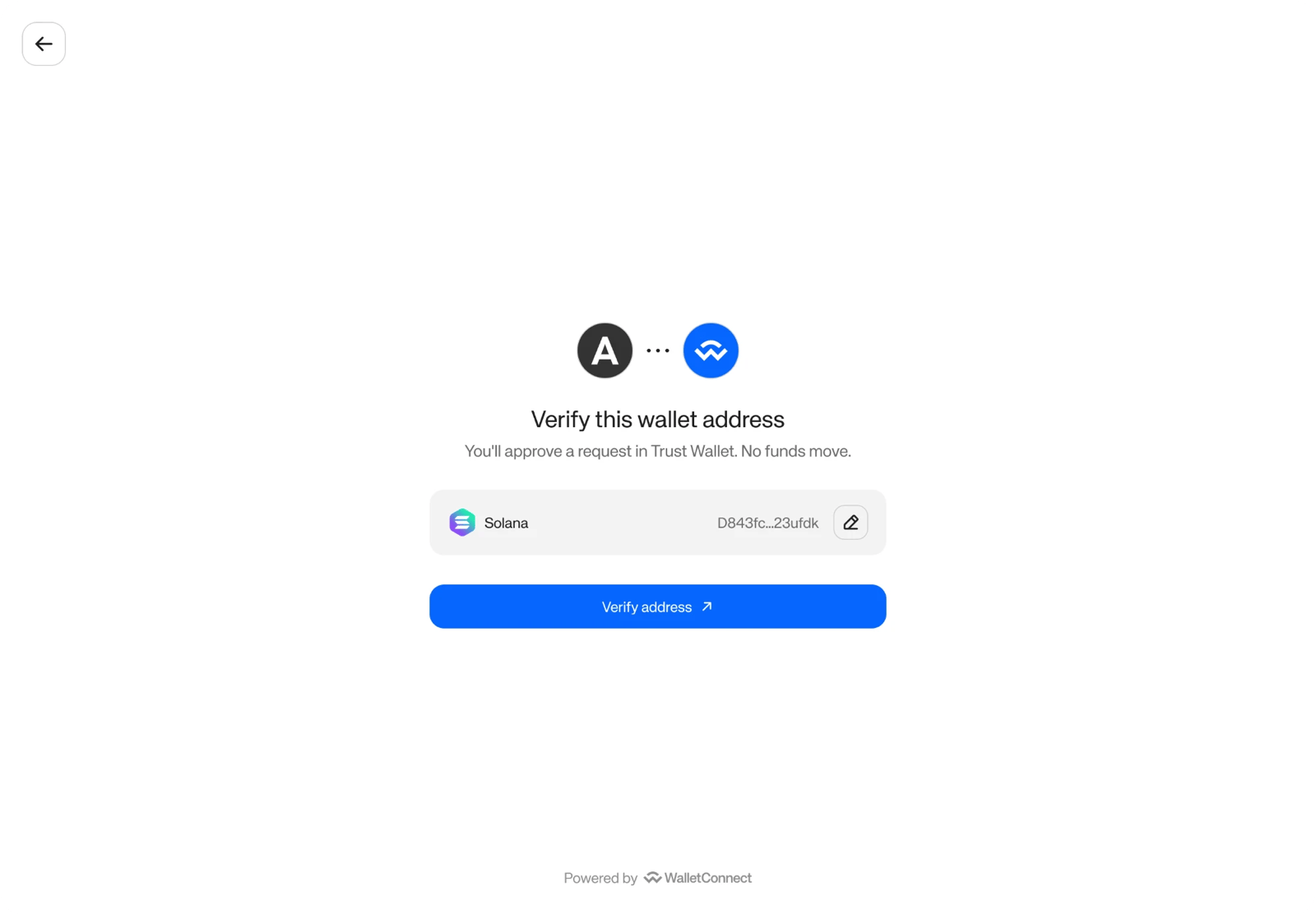
4
Add personal details
Only shown if your account collects user information. After tapping Verify address, the user enters their full name, date of birth, and city and country of birth, then accepts the terms.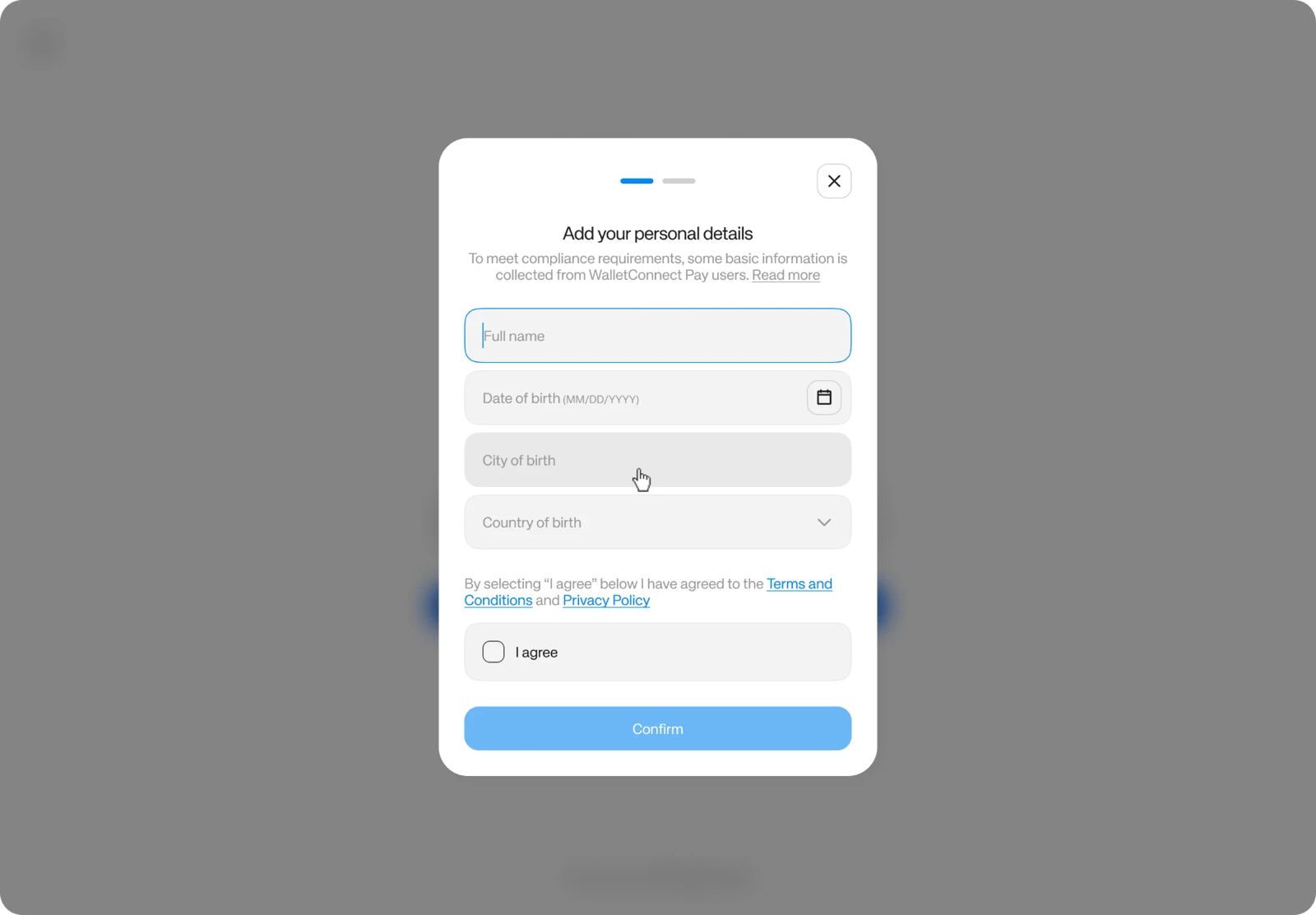
5
Sign
The user signs the message in their wallet. The signed message names your business and the purpose.
6
Done
The page shows Wallet verified if you set 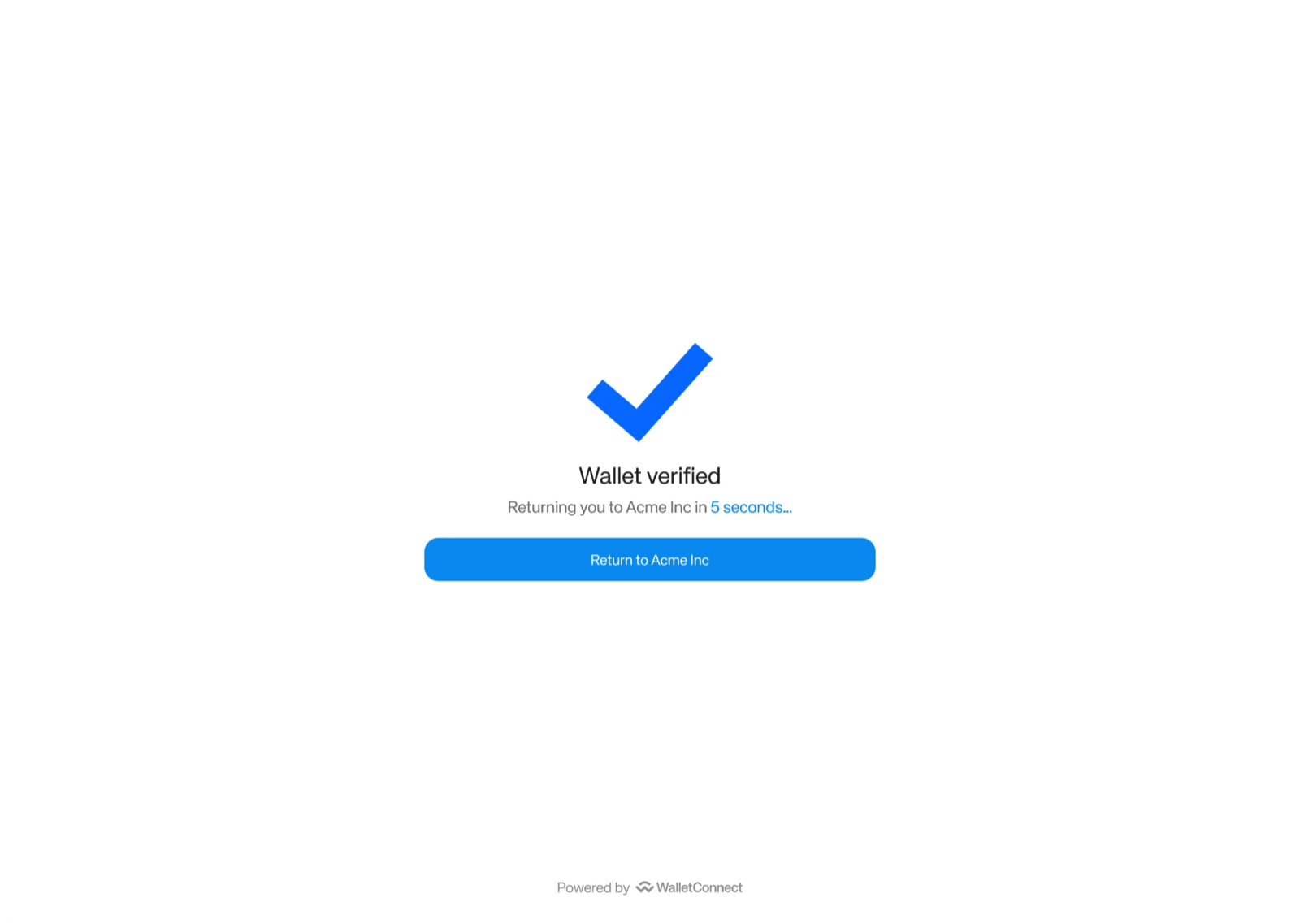
expected_address, or Wallet added if you didn’t. With a return_url, it sends the user back to your app after 5 seconds, or right away when they tap Return to your business name.Errors the user can see
Return to your app
Setreturn_url when you create a verification to send the user back to your app. After a successful verification the page returns the user automatically after 5 seconds, unless it is in an iframe. The Return to button (it shows your business name) on the success and error screens, and the Cancel button, navigate to return_url exactly as you gave it. Nothing is appended, so look up the result by polling.
Without a return_url, the success screen tells the user they can close the page, and the other buttons close the tab.
The return_url must be HTTPS, and its origin must be on your account’s allowed list (exact https://host[:port], up to 20 origins). Otherwise create returns 400 invalid_return_url. See Integration settings to register origins.
Embed in an iframe
You can show the verification page inside your app in an iframe. The page can only be framed by origins on your account’s embedding list. Without one, the page refuses to be framed (frame-ancestors 'none').
Embedding origins are https://host or https://*.host, up to 20. Each host must be a registrable domain. IP addresses, localhost, and bare platform suffixes such as *.vercel.app are not allowed. See Integration settings to register origins.
The page is served from these origins:
When embedded:
- When the user verifies, the page posts a
verifiedmessage to the parent window right away, without waiting for a click. - No automatic return when framed. The 5-second return only runs when the page is not in an iframe. Close the frame or move on when you get
verified. - With a
return_url, the Return and Cancel buttons navigate the top window. If your iframe is sandboxed, addallow-top-navigation-by-user-activation. Otherwise only the iframe navigates. - Without a
return_url, the Return and Cancel buttons post a message to the parent window instead of navigating:
postMessage payload
state is one of verified, cancelled, failed, expired, not_found, pending, or unknown. The message is only sent to an origin on your embedding list, never to *.
Listen for the return message
Supported wallets and networks
An EVM address is the same on every EVM chain. A verification proves control of the address.
Limitations
- Multi-signature wallets that need more than one approver, such as a Safe with a threshold above 1, are not supported yet. Today such a verification ends as
failed. Multisig support is planned. - Solana program-derived addresses are not supported.
- Allowed return-URL and embedding origins are not self-serve yet. See Integration settings.