

Run the push server
Build the image fromslim.Dockerfile. This is the single-tenant build: it serves one wallet app and reads its APNs and FCM credentials from environment variables. The credentials stay on your server; the dashboard stores only the push URL.
Keep
VALIDATE_SIGNATURES at its default of true, so the server rejects requests that the relay did not sign.
Set the push URL
In the WalletConnect Dashboard, open your project’s Push page and choose Create Push URL. The page appears only for wallet projects.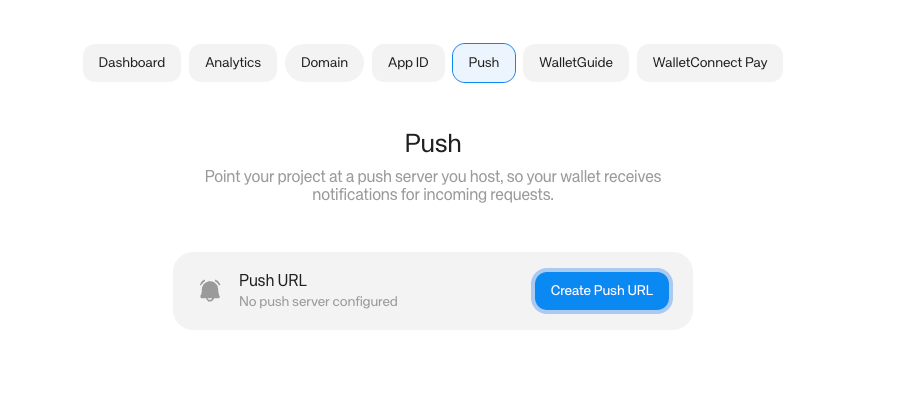
PUBLIC_URL:
- It must use HTTPS and a public domain name, not an IP address.
- It can include a base path, but no query string, fragment or credentials, because the relay appends
/clients/{client_id}to it.
Register devices
The relay knows each wallet only by its relay client ID, and APNs and FCM deliver only to a device token. Registering a device stores the pair on your push server, so that when the relay asks it to notify a client ID, the server knows which device token to send to. A device that is not registered gets no notifications. Don’t use the SDK’s push registration (WalletKit.instance.register(deviceToken:) on iOS, WalletKit.registerDeviceToken on Android, walletKit.registerDeviceToken in React Native) with a self-hosted server. On Android and React Native it always registers with WalletConnect’s hosted server. On iOS you can change the host with pushHost, but the SDK sends to /{projectId}/clients, which the self-hosted server doesn’t serve. Your app has to register with your server directly instead:
client_idis the ID the wallet uses on the relay:CoreClient.Push.clientIdon Android,Networking.interactor.getClientId()on iOS,walletKit.core.crypto.getClientId()in React Native.typeisapns,apns-sandboxorfcm.always_rawsets what the notification contains. It matches the SDKs’enableEncryptedoption:true: the notification carries the encrypted request astopic,tagandmessage. Your app decrypts it and shows its own text, for example the dapp’s name and what it asks for.false: the user sees a fixed “Signature required” alert written by the relay, and your app does not decrypt anything.
DELETE /clients/{client_id}.
Delivery
The open-source push server already handles this. If you write your own, respond to each request from the relay within 30 seconds:- Return a 2xx response once the notification is handed to APNs or FCM.
- Return a 5xx response only when a retry could succeed. The relay retries after a timeout, a network error or a 5xx response, and does not retry any other response.